Up to 65% Off Bundles
Save big on Stellar bundles with discounts up to 65% off your favorite products.
Terms and conditions
- Subject to availability.
- Offer is subject to change without notice.
- See the Stellar website for full terms and conditions.

Save big on Stellar bundles with discounts up to 65% off your favorite products.
Terms and conditions
Save big with 52% on Stellar's top rated annual data recovery software for Windows devices.
Terms and conditions
Recover lost files and repair corrupted data on Android devices with professional data recovery software for $29.99.
Terms and conditions
Never miss cashback. Our free Chrome extension alerts you automatically at every partner store.
Get your important files back with Stellar's monthly data recovery for Windows, now with $10 off.
Terms and conditions
At Stellar, the headline offer for shoppers right now is the chance to save up to 65% on bundles. This deal is ideal for anyone looking to purchase multiple software solutions at once and get the best overall value. The bundle discount is the most prominent offer on the page and provides significant savings for larger purchases.
For customers looking to restore data from Windows devices, the "52% Off Annually Data Recovery For Windows" offer presents a substantial saving. This is a straightforward discount applied directly to the annual subscription, making it a great choice for those with specific Windows recovery needs.
If your focus is solely on recovering data from Android devices, the "Android Data Recovery Software Now $29.99" offer is your best bet. This deal provides a fixed price for the software, simplifying your purchase and ensuring a clear cost for this service.
For those needing a shorter term solution for Windows data recovery, the "$10 Off Monthly Data Recovery For Windows" offer is available. This is a good option if you only require the service for a limited period and want an immediate saving on the monthly subscription. It is important to note that this is a fixed amount off, so its impact is greatest on the standard monthly price.
When comparing the two specific software deals for Windows, the "52% Off Annually Data Recovery For Windows" will offer a bigger saving for those who commit to an annual plan compared to the "$10 Off Monthly Data Recovery For Windows" offer. For example, if the standard annual price is $100, you would save $52. If the standard monthly price is $30, the $10 off deal saves you $10, making the annual plan the more economical choice for longer term needs.
When considering bundles versus individual software, always compare the total cost. The "Up to 65% Off Bundles" offer is likely to provide greater savings if you intend to purchase multiple applications. However, for a single item purchase, the specific discount on that software will be more relevant. For instance, purchasing an Android Data Recovery Software for $29.99 means the bundle discount would need to offer more than $29.99 in savings to be a better deal, which is unlikely unless the bundle includes many items.
Ultimately, the best offer depends on your specific needs. If you are buying a bundle, aim for the "Up to 65% Off Bundles" offer. If you need a specific software, choose the deal directly applied to it. For Windows annual recovery, the 52% off is the strongest. For monthly Windows recovery, take the $10 off. For Android recovery, the fixed $29.99 price is your best option. Always select the offer that results in the lowest final price for your cart.
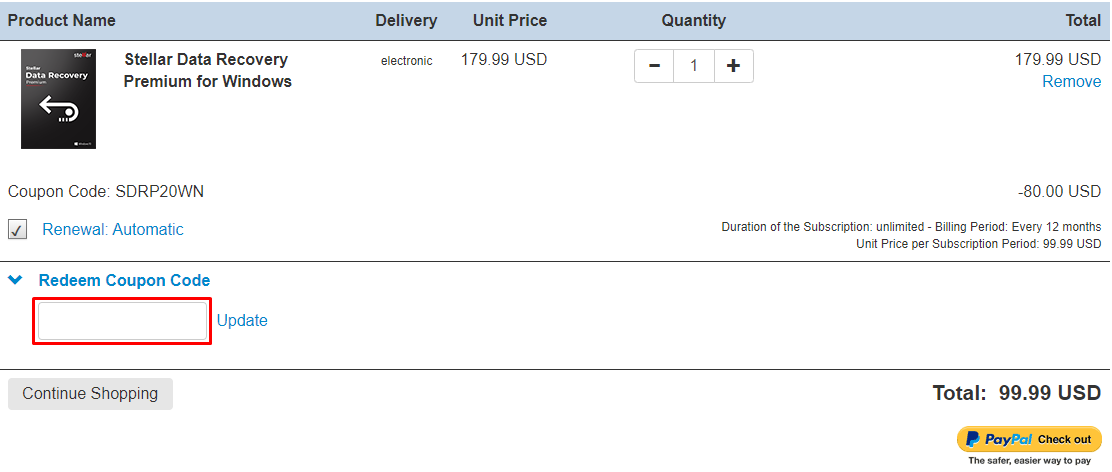
Here are some great tips & tricks for extra savings at Stellar:
Stellar accepts VISA, Mastercard, American Express, Discover Card, JCB, and Union Pay.
Yes, Stellar is available Worldwide.
Open Stellar password recovery for MS SQL. ‘Select Database’ with the ‘Browse’ button. Click and locate the ‘master. MDF is a database file that is responsible for maintaining the details of all the users in the SQL database. After that file is fetched, click ‘Open’. The path of the file will appear in the bar. In addition, all the Users including the System Administrator get listed in a table. From this table, select the user, whose password is forgotten. Then click ‘Change Password’. The software then gives you the option to reset the password. Enter the new password and reenter the same for confirmation. Click ‘OK’. The password is now reset. NOTE: You may close the service temporarily during the password reset process, as the running service may affect it.
Yes, SQL Backup Recovery software included in the toolkit needs an MS SQL server to be installed on the system where you want to perform the recovery. You should start all SQL Server services before initiating the recovery process. However, MS SQL Server is not required to show the database preview.
Stellar toolkit for MS SQL is a collection of the following software:
They recommend you not format the card as it may reduce the chances of recovery. You can scan your card with the below-mentioned demo version of Stellar Data Recovery software to check the possibility of recovery. After the scan is completed, you can see the list of files in the software. You can select any file to check the preview and to know whether it can be recovered or not. Once you are satisfied with the preview shown in the demo version then you can purchase the software.
To install the software:
Phone +1-877-778-6087