Coupon
Coupon
20% Off Storewide at eurotalk
Use code and get 20% off storewide at eurotalk.
Terms and conditions
- Use the code and to redeem the offer.
- For full Terms & Conditions please see eurotalk website.


Use code and get 20% off storewide at eurotalk.
Terms and conditions
Use code and get 20% off your purchase at eurotalk.
Terms and conditions
Use code and get 20% off your purchase at eurotalk.
Terms and conditions
Never miss cashback. Our free Chrome extension alerts you automatically at every partner store.
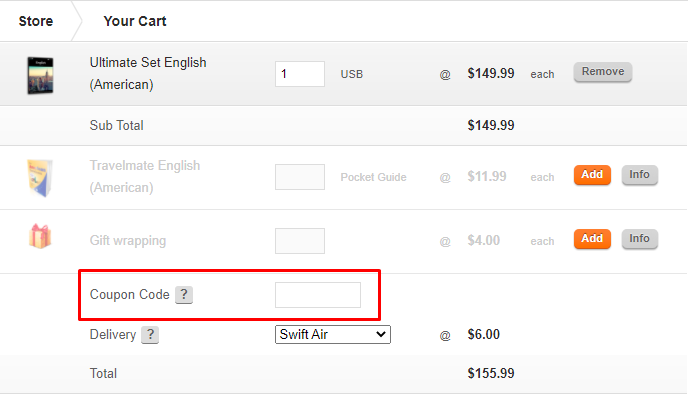
Here are some great tips & tricks for extra savings at eurotalk:
eurotalk accepts VISA, Mastercard, Maestro, American Express and Paypal.
Yes. eurotalk offers free worldwide shipping with all orders made via their website.
You will receive an email confirmation when your order has been dispatched from their London office. They aim to dispatch all orders within 24 hours. If you order before 4 pm GMT on a weekday, they will ship your purchase that same day. Order over the weekend and they will send it on the next working day.
If you need to change your order, whether it be the quantity of item(s) ordered or the billing/shipping address, please contact them immediately and quote your order number with the necessary amendments.
Don’t worry if you decide their product isn’t for you. Just return with proof of purchase to the address below within 90 days - they will gladly give you a refund. You can still return a product after you’ve opened the pack and used the disc.
You will also need to enclose your contact details and a note of why you wish to return the item(s). This helps them improve their products.
Returns should be sent to the following address: EuroTalk, FREEPOST LON17494, SW6 4ZZ, UK
Even though the default help language on their discs is English, their products contain help and instructions in over 100 additional languages. You can change the help language when you first use the disc in the computer - there is a flag icon at the bottom of the screen labelled ‘Change Help Languages’. You will need to click on this to be taken to a list of languages, from which you can select the language you wish to learn.
The latest versions of their products are available directly from their website, are compatible with the current operating systems for Windows and Apple Mac. This includes Windows Vista, Windows 7, Mac OS X 10.5 and Mac OS X 10.6. For product compatibility for individual products, browse to their information pages.
support@eurotalk.com




