Love Coupons USA
Glow discount codes and coupon codes

Best Glow Coupon Codes

4.5 (2 ratings)
4 active offers Best Deal: 30% Off

Glow Coupons and Best Deals for July 2026

Save up to 30% on a range of selected products from Glow and enjoy great deals on your favorites!

Terms and conditions

  • Available while stock lasts.
  • Valid on selected products only.
  • Please visit the brand’s website for full Terms & Conditions.

Save 20% on the Glow Ovulation & Pregnancy Test Strips Bundle, eliminating uncertainty in your family planning.

Terms and conditions

  • Available while supplies last.
  • Valid on select products only.
  • See the Glow website for complete terms and conditions.

Save 20% on the Glow Smart Basal Thermometer, allowing for easy and accurate fertility tracking.

Terms and conditions

  • Available while supplies last.
  • Valid on selected products only.
  • See the Glow website for complete terms and conditions.

Never miss cashback. Our free Chrome extension alerts you automatically at every partner store.

Add to Chrome – It's Free

Sign up to the newsletter for special offers and promotions at Glow.

Terms and conditions

  • For full Terms & Conditions please see Glow website.

How do I use my Glow discount code?

  • Copy a code from Love Coupons and follow the link to the Glow website
  • Here you can begin shopping and add any products you want to your bag
  • Once you’re finished you can checkout
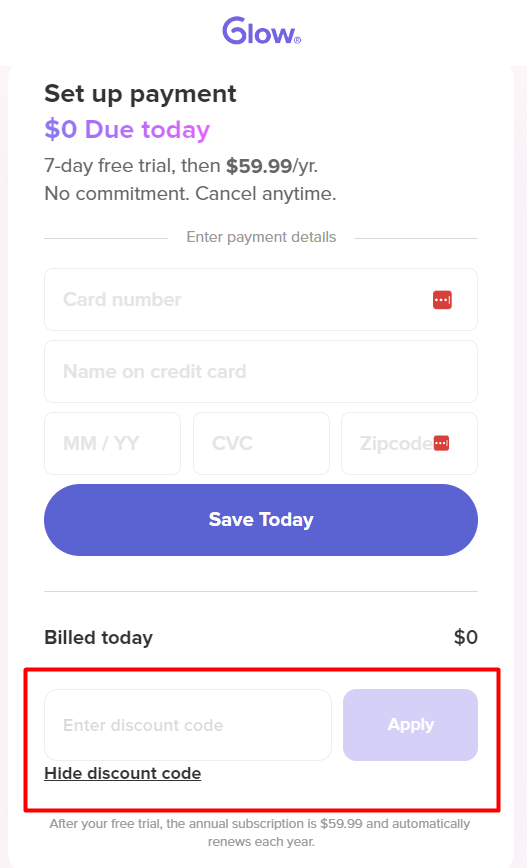
  • You’ll then be taken to the shopping bag page where you can paste your code to apply the discount
  • Add your Promo/Voucher/Coupon/Discount Code to the box labelled "Enter Discount Code" and click ‘Apply’
  • You can then ‘checkout’ and continue with the payment process
How do I use my Glow discount code?

Glow Money-Saving Hints & Tips

Here are some great tips & tricks for extra savings at Glow:

  • Always visit and check Love Coupons for the latest money-saving discount codes and deals at Glow before you finish your purchase
  • Join the Glow newsletter to get the best offers, money-saving promotions and exclusive deals sent straight to your inbox
  • Be sure to check out the sale offers and discount section on the Glow website for the latest promotions and discount offers
  • Follow Glow on social media to stay updated with their new arrivals and offers.
  • Download the Glow app store for free, activate push notifications and get the latest promotional offers directly to your mobile phone.
  • Sign up to Love Coupons newsletter for our latest weekly offers for brands like Glow and many more.

Glow FAQs

I'm seeing issues in the daily log. How do I edit my period in Glow?

If you're seeing an empty menstrual log in Glow or don't see options to log menstruation, this may be because the period isn't properly logged in your app. Please go to the "calendar" icon on the home page > edit period > select the proper period days > save. Next, go to your daily log and see if menstruation log options appear.

My OPK analyzer is acting up. Is there anything I should do?

If your OPK strip analyzer log is acting up, please send them a request with a screenshot or photo, and a description of the issue, your phone's OS, and the type of phone you're using.

I'm having issues with my Apple Watch. Can Glow help?

If you see "Need Period Data" on your Apple Watch, but the data appears normal on your phone, this is likely a synching issue between the watch and the app. To try and fix this, double-check that neither device is on "Do Not Disturb" mode. Close the app and reopen it or add something to your calendar. This should trigger a resync between the app and the watch. Give it a few seconds to see if the resync happens.

I had purchased premium, but it is not showing on my account?

For IOS purchases:

Head to your app, More page > Account Settings > Relink subscription, if that doesn't work, try to kill the app and reopen it.

For Android purchases:

Click on this link: https://glowing.com/debug/premium_status. Please make sure to access only via your Android device, find the correct transaction then click on redeem.

If you are still unable to have access to your Glow Premium please email support@glowing.com.

How do I cancel my premium trial?

As the Glow Premium trial is directly linked to your App Store account, you have to go through the specific app store to cancel the renewal. Please check out the guides from Google and Apple on how to cancel subscriptions:

iOS: https://support.apple.com/en-us/HT202039

Android: https://support.google.com/googleplaymusic/answer/3122088?hl=en

What happens at the end of my free trial of Glow Premium?

If you enjoy their Glow Premium services, you will be automatically subscribed to the yearly subscription at the end of the trial period.

If you'd prefer not to subscribe, cancel your free trial at least 24 hours before the end of the trial period by navigating to the sidebar ☰ > Settings. Clicking your Subscription status will open up your Subscription settings in iTunes/Google Play. Tap on the subscription and then toggle off "Automatic Renewal" to cancel.

More discount codes like Glow